Designing a town
Draw a settlement's walls, streets and districts, and place buildings by hand.
5 min read
Generated first
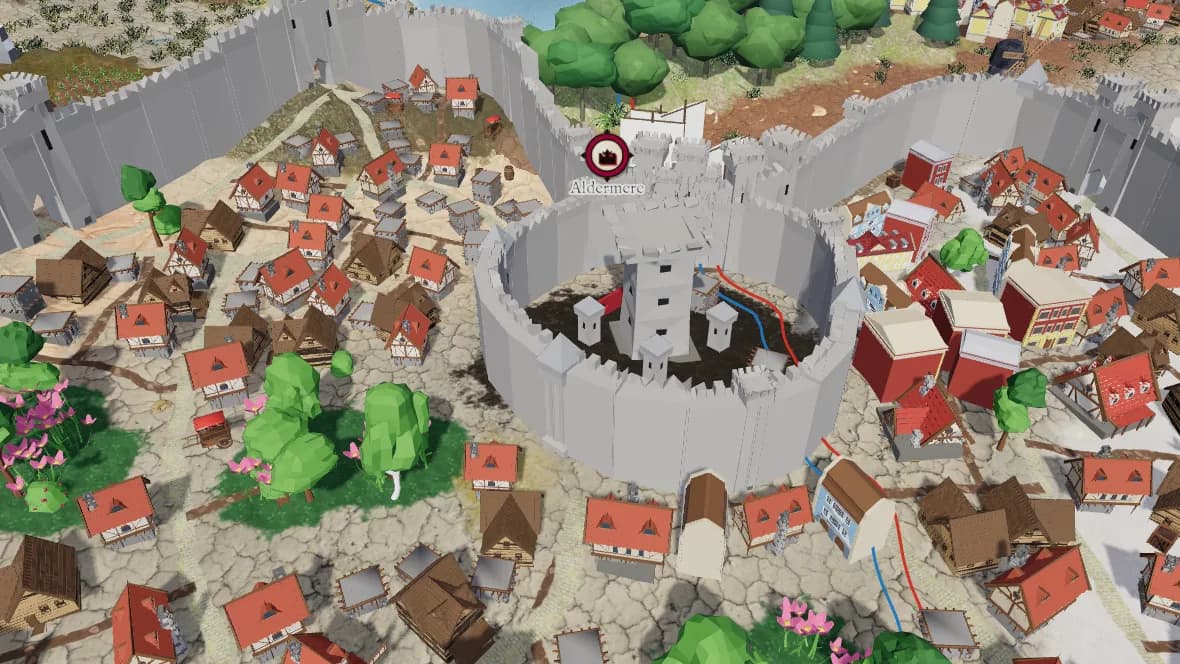
Every hamlet, village, town, city, capital and port is built in 3D from its size: walls, a keep, streets, districts, parks and houses that follow the ground. Ports get a harbour and ships.
Draw the plan
- 1Select a settlement and open the Plan tab.
- 2Choose Draw wall and draw round the town.
- 3Draw keep, Draw street and Draw district work the same way.
- 4Generate districts and parks for the rest, or reroll the generated parts for another layout.
Everything you do not draw is generated, so you can draw as little as the wall and keep the rest.
Place buildings
Choose Place building and a kind of building, then click to place it. The outline under the pointer shows where it will go, red where it cannot. R turns it, Shift+R the other way. Snapping keeps it on a grid and to 45° turns.
Tip: Edit points moves, adds and removes points of what you drew.