Kingdoms, settlements and roads
Fill your world with people: realms, towns, roads, names and fog of war.
6 min read
The Human layer
Switch Layer to view to Human. The Human layer panel has five tabs: Build, Plan, Roads, Names and Manage. Setting chooses the list of places you can build (Fantasy or Cyberpunk).
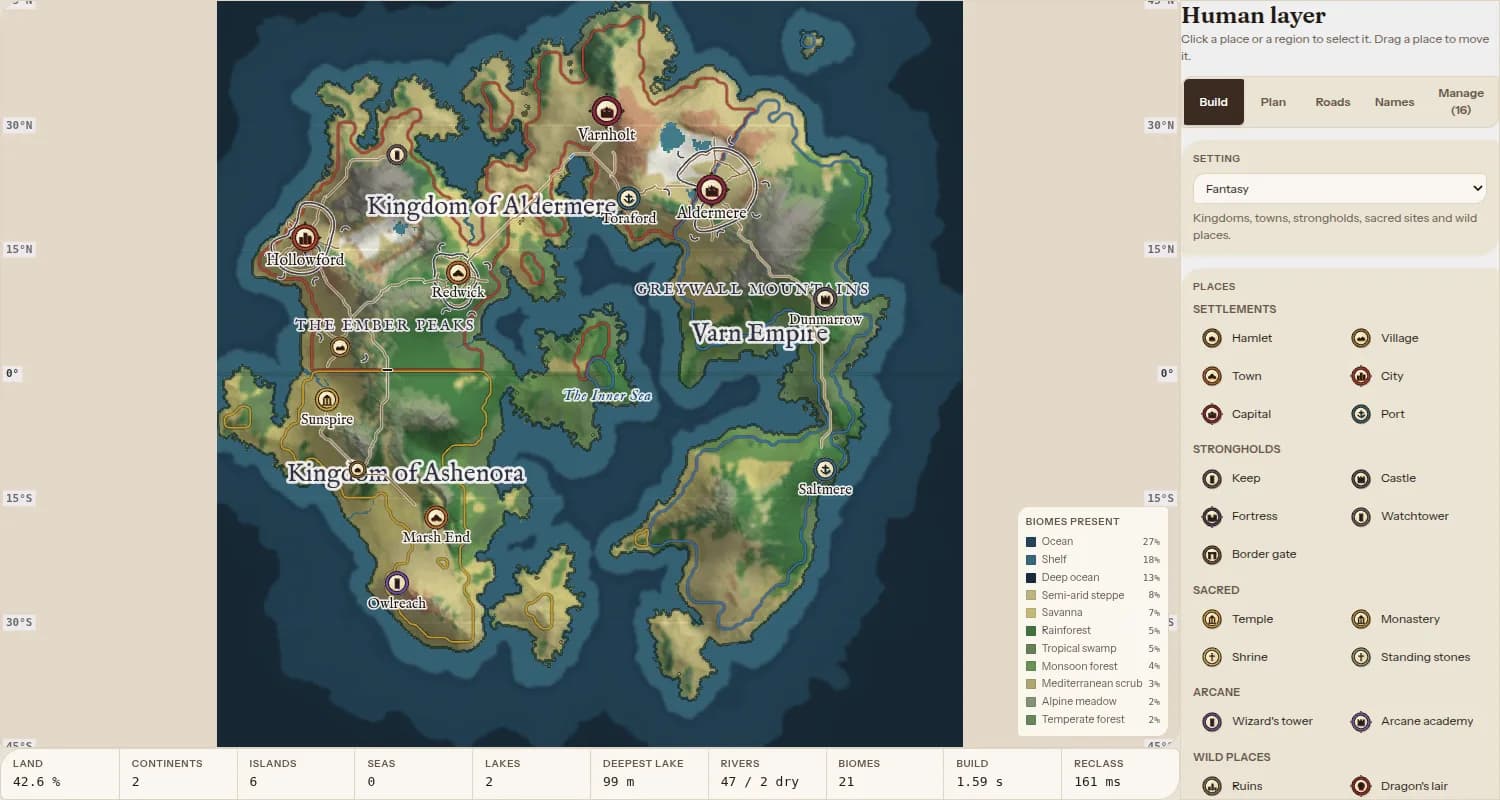
Place settlements
- 1Choose the Place tool.
- 2Pick a place in Build: settlements (hamlet to capital, port), strongholds, sacred sites, arcane sites or wild places.
- 3Click the map to place it. It gets a made-up name; rename it in the panel.
- 4Use Select / move to drag it somewhere else.
Kingdoms and regions
- 1In Build, make a new region (a kingdom or another type).
- 2Paint it on with the Region brush, or draw round an area with the Region lasso.
- 3Erase region takes land back out.
Borders show as coloured lines and each realm's name is written across it.
Roads, names and fog
Roads: in the Roads tab, Auto joins settlements for you. Draw a road from one settlement to another; rivers on the way get a bridge.
Names: in the Names tab, draw along a mountain range, forest or bay to name it. Names show on the 2D map and the Map view.
Fog of war: choose the Fog of war tool and drag to reveal fogged land, or switch to Fog to cover it again.
Tip: Manage lists every settlement and region, with search, rename, delete and a button to go to each one.